
Appearance
Overview
Overview is the landing screen and the live picture of the field: who is capturing, how fast, on which jobs, and where.
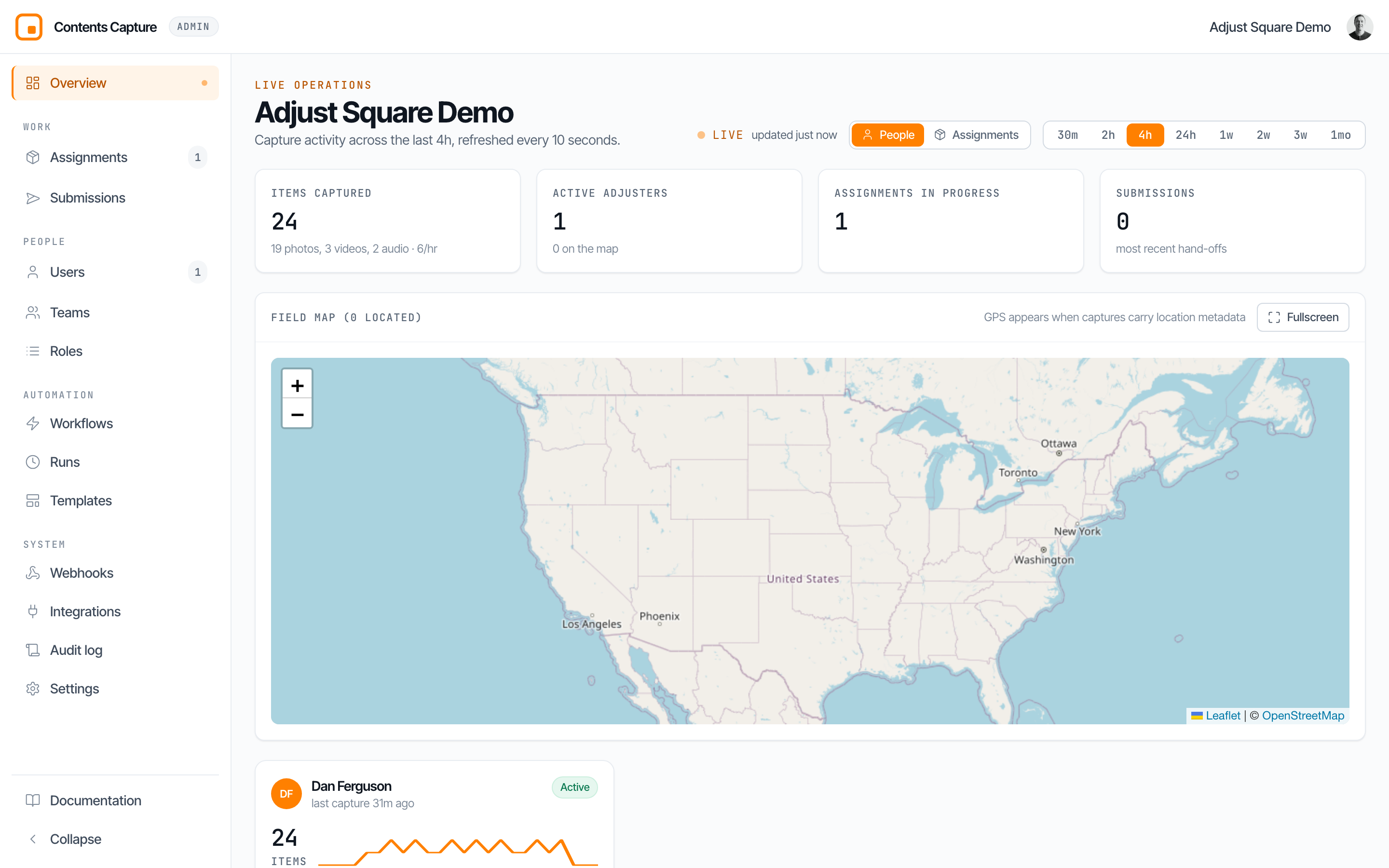
This used to be two screens
Overview and Mission Control showed overlapping information side by side. They are now one screen. The old /live address still opens it.
It refreshes every 10 seconds on its own. The dot beside LIVE pulses while the feed is current.
The time window
Everything on the page describes one window of time, chosen by the buttons at the top right: 30 minutes through to a month.

A short window answers "what is happening right now". A long one answers "how did this week go". The window is in the address bar, so a link shares the view you were looking at.
The four numbers

- Items captured in the window, split by photo, video and voice note, with the organization's pace per hour.
- Active adjusters, and how many of them are on the map.
- Assignments in progress: jobs that received at least one capture.
- Submissions: the most recent hand-offs to the upstream team.
Grouping: people or assignments
The People / Assignments toggle decides how the cards below the map are arranged. It rearranges the same activity rather than changing what is counted, so the totals match either way.
People is one card per adjuster, answering "how is each person doing?".
Assignments is one card per job, answering "how is this job going, and who is on it?" — the thing you cannot see when the board is grouped by person, because one job worked by three people looks like three unrelated cards.
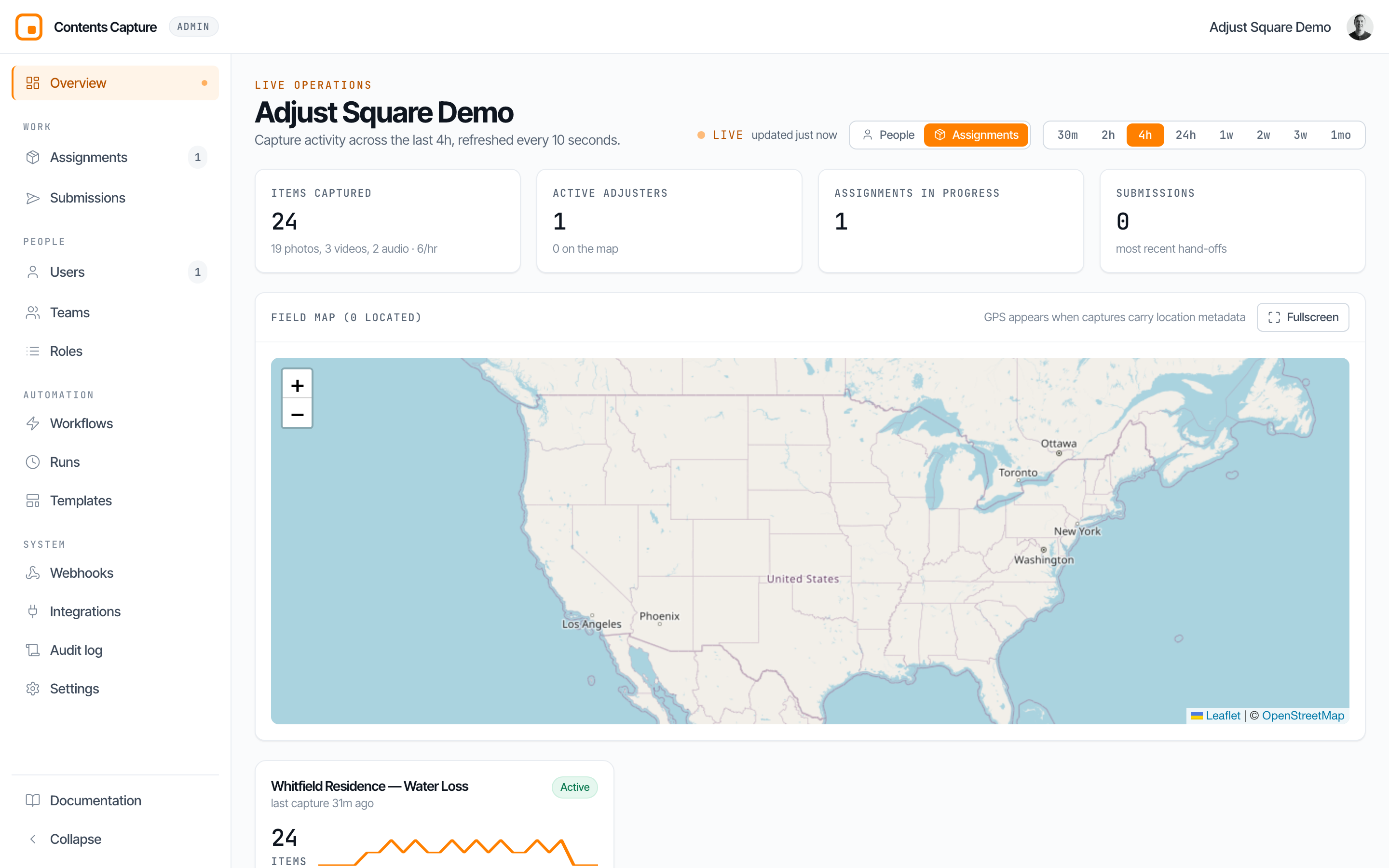
Each assignment card shows the same measures read across everyone working it, then lists the crew with how much each has captured, busiest first. Everyone keeps the colour they have on the map. Click a person to open their activity; click the job title to open the assignment.
The field map
Captures carry GPS when the assignment has location metadata switched on. The map plots each adjuster's most recent fix, coloured per person, with a trail of where they have been.
The map always plots people, in both groupings, because a GPS trail is a path somebody walked and several people on one job do not share one. "0 located" means no capture in the window carried a location.
Fullscreen opens the map with a sidebar listing everyone; click a name to pan to them.
Per-adjuster cards
In the People grouping, each card shows:
- Active / Idle: idle means no capture for more than 10 minutes, or a fifth of the window on longer windows. It does not mean off duty.
- Items and sparkline: volume and rhythm across the window.
- Pace: captures per hour.
- Avg gap and Median gap: typical time between captures. A long gap on an active job is worth a phone call.
- Mix: the photo/video/voice split.
- Top assignment, linked.
- On map / No GPS.
Per-assignment cards
In the Assignments grouping, each card shows those same measures read across the whole crew, then N people capturing with each person's count.
The gaps here are between consecutive captures on the job, so a job with a full crew shows a tighter rhythm than any one of its people. That is the point: it describes the job's progress, not one person's habits.
Drilling into a person
Click any adjuster to open their activity panel: their stats for the window, which assignments they have been on, a gallery of their recent captures, and their submissions.
Latest submissions
At the foot of the page, the most recent hand-offs to the upstream team, each linking to its assignment. "What has been handed over" is a different question from "what is being captured", and a manager usually wants both.
Practical uses
- Morning check: 24h window, glance at items captured and active adjusters.
- Is anyone stuck? Look for Idle badges and long median gaps.
- Is this job moving? Switch to Assignments and read the job's own pace.
- Where is everyone? Fullscreen map.
Questions? Email [email protected] and a human will respond.