
Appearance
Changelog
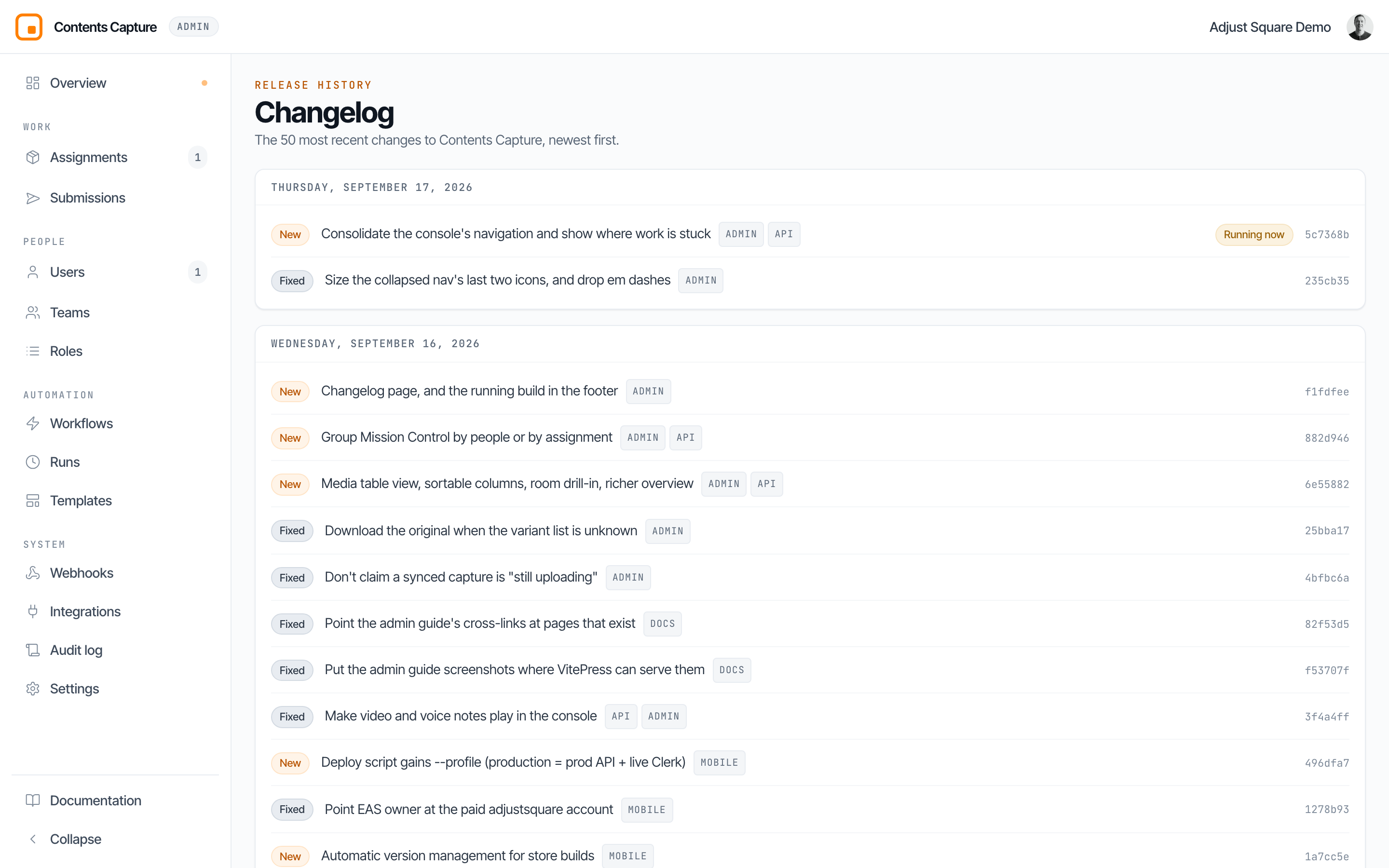
The changelog lists what has shipped to ContentsCapture, newest first, grouped by the day it went out. Reach it from the build stamp in the bottom-right corner of every screen.
What is listed
Only changes to the product: new features, fixes, and speed improvements. Work that does not change anything you can see (internal refactoring, test and build-tooling changes, dependency bumps) is left out on purpose, so the page stays skimmable.
Each entry shows:
- New / Fixed / Faster: what kind of change it was.
- The change, in one line.
- Tags for the parts of the product it touched, for example
ADMIN,API,MOBILE,DOCS. - A short code identifying the exact change, for example
882d946. Quote this if you are reporting a problem, and support can tell precisely which version you were on. - Running now on the change this console was built from.
The build stamp
The bottom-right of every screen shows which build you are running and when it was deployed:
BUILD 882d946 deployed 2h agoHover it for the full identifier and the exact deployment time. Click it to open this page.
This is the fastest way to answer "am I actually on the new version?". If something was fixed but you are still seeing it, check the build stamp first: a browser holding a cached copy of the console will show an older build than the one that was deployed, and a hard refresh picks up the new one.
The list describes YOUR console
The Changelog is generated when the console is built, so it describes the version you are running rather than the newest version that exists. After a deployment, refresh to see newer entries.
Questions about a specific change? Email [email protected] and a human will respond.